



 Contact


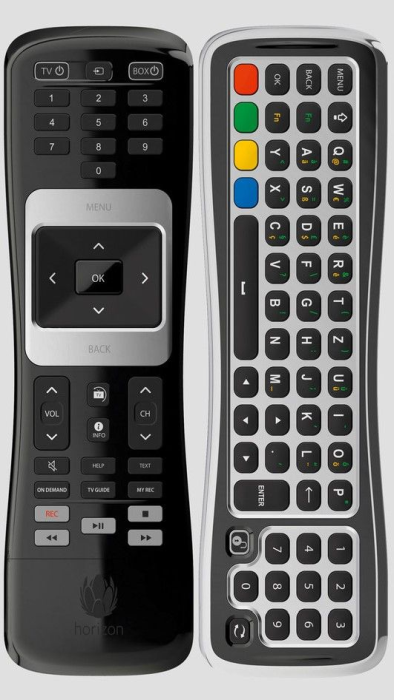
Brand Original remote control SAMSUNG SMT-G7400, SMT-G7401 (SMTG7400, SMTG7401).
It is intended for these models SAMSUNG: SMT-G7400, SMT-G7401, SMTG7400, SMTG7401. (There may not be listed all compatible models. If you are not sure, just tell us your device model (by online chat, email), we will promptly check, verify if compatible with your device. The verified compatibility is guaranteed by us.)
NOTICE: This model of remote control is not functional for televisions intended for the Polish market!
PAIRING the HORIZON remote control with the device:
- Make sure your Horizon box is turned on and that there is clear visibility between it and the remote control.
- Turn the remote control so that the keypad is facing up.
- Press and hold the pairing button (look on the back of the remote control in the product photo gallery) for 10 seconds towards the Horizon box.
- If pairing is successful, a success message will appear on the television.
If it was not successful, press "VOL-" and hold the button; then simultaneously press the source button (top center button). After about 5 seconds, the power button on the television will blink red twice. Now release both buttons and enter 981, which will terminate the remote control pairing. Start from step 1) of the PAIRING process.
You can also restore the default settings in the MAIN MENU if you made a mistake. RESTORING the default settings allows you to reset the Horizon box to its default settings with the option to keep or delete records stored on the Horizon box's disk.
Pairing the HORIZON remote control with your television
Pair the HORIZON remote control with your television to turn it on or off and adjust the volume.
Where can I find the code to pair the HORIZON remote control with my television?
Visit this page, where you will find all the codes for televisions for your Horizon remote control and many useful troubleshooting tips for this TV Box: https://www.manualslib.com/manual/1215470/Upc-Horizon.html?page=80
- Find the brand code for your television. Grundig 1162, Hitachi 1251, Philips 2195, Pioneer 2212, JVC 1464, Samsung 2448, LG 1628, Sharp 2550, Loewe 1660, Sony 2679, Metz 1810, Telefunken 2914, Thomson 297, Panasonic 2153, Toshiba 2972. Additional TV codes can be found at the provided link Manulaslib.com.
- Turn off the Horizon box.
- Turn on your television.
- First, on the HORIZON remote control, press both the VOL and TV Source buttons for 5 seconds until the TV ON/OFF button blinks three times.
- Enter the brand code of the television using the keypad within 10 seconds.
- Point the HORIZON remote control at your television and hold the TV ON/OFF button pressed for 1 minute until the television turns off. If the television does not turn off, repeat steps 2 to 5.
- Once the television turns off, press the VOL button and the TV Source button again until the TV ON/OFF button blinks three times.
This is a new ORIGINAL RF (radio) remote control, therefore it needs to be paired with your device (all radio remote controls must be paired). The pairing method is described in the device manual, or we can send you the manual upon request via email.
VOICE CONTROL: NO
If you do not want to be bothered with pairing, just want to insert batteries and start controlling right away, we recommend ordering GENERAL MAGIC TV, which works with all SMART TV models of this brand and, thanks to innovative technology, requires no pairing.


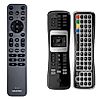







Brand Original remote control SAMSUNG SMT-G7400, SMT-G7401 (SMTG7400, SMTG7401).
It is intended for these models SAMSUNG: SMT-G7400, SMT-G7401, SMTG7400, SMTG7401. (There may not be listed all compatible models. If you are not sure, just tell us your device model (by online chat, email), we will promptly check, verify if compatible with your device. The verified compatibility is guaranteed by us.)
NOTICE: This model of remote control is not functional for televisions intended for the Polish market!
PAIRING the HORIZON remote control with the device:
- Make sure your Horizon box is turned on and that there is clear visibility between it and the remote control.
- Turn the remote control so that the keypad is facing up.
- Press and hold the pairing button (look on the back of the remote control in the product photo gallery) for 10 seconds towards the Horizon box.
- If pairing is successful, a success message will appear on the television.
If it was not successful, press "VOL-" and hold the button; then simultaneously press the source button (top center button). After about 5 seconds, the power button on the television will blink red twice. Now release both buttons and enter 981, which will terminate the remote control pairing. Start from step 1) of the PAIRING process.
You can also restore the default settings in the MAIN MENU if you made a mistake. RESTORING the default settings allows you to reset the Horizon box to its default settings with the option to keep or delete records stored on the Horizon box's disk.
Pairing the HORIZON remote control with your television
Pair the HORIZON remote control with your television to turn it on or off and adjust the volume.
Where can I find the code to pair the HORIZON remote control with my television?
Visit this page, where you will find all the codes for televisions for your Horizon remote control and many useful troubleshooting tips for this TV Box: https://www.manualslib.com/manual/1215470/Upc-Horizon.html?page=80
- Find the brand code for your television. Grundig 1162, Hitachi 1251, Philips 2195, Pioneer 2212, JVC 1464, Samsung 2448, LG 1628, Sharp 2550, Loewe 1660, Sony 2679, Metz 1810, Telefunken 2914, Thomson 297, Panasonic 2153, Toshiba 2972. Additional TV codes can be found at the provided link Manulaslib.com.
- Turn off the Horizon box.
- Turn on your television.
- First, on the HORIZON remote control, press both the VOL and TV Source buttons for 5 seconds until the TV ON/OFF button blinks three times.
- Enter the brand code of the television using the keypad within 10 seconds.
- Point the HORIZON remote control at your television and hold the TV ON/OFF button pressed for 1 minute until the television turns off. If the television does not turn off, repeat steps 2 to 5.
- Once the television turns off, press the VOL button and the TV Source button again until the TV ON/OFF button blinks three times.
This is a new ORIGINAL RF (radio) remote control, therefore it needs to be paired with your device (all radio remote controls must be paired). The pairing method is described in the device manual, or we can send you the manual upon request via email.
VOICE CONTROL: NO
If you do not want to be bothered with pairing, just want to insert batteries and start controlling right away, we recommend ordering GENERAL MAGIC TV, which works with all SMART TV models of this brand and, thanks to innovative technology, requires no pairing.





Featured Products
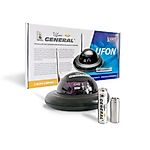
Radio range extender for remote control IR signal integrated in the battery - UFON 433 MHz
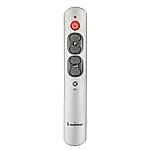
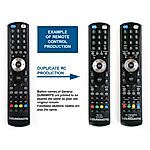
General DUREMOTE 2 tailor made remote control with button printing on demand
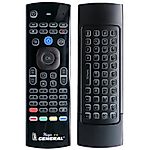
General MAGIC - remote control for SMART TV with keyboard and air-mouse function

Share your device's brand and model, and we'll handle the rest. Our experts will handle the request and your tailored recommendations will be on their way via email.

