



 Contact


Spare remote controller LIFE STAR 2 - 100% replacement for original remote controller.
It is intended for these models LIFE: ACER, OPTIMO, PROBO, RG1R UNI DL, SUPRA. (There may not be listed all compatible models. If you are not sure, just tell us your device model (by online chat, email), we will promptly check, verify if compatible with your device. The verified compatibility is guaranteed by us.)
- It is a fully-fledged spare remote controller, shown on the left (It is not „universal“).
- The remote controller is guaranteed for 2 years.
You will receive a remote controller ready to use. The only thing you have to do is register the remote controller to control unit of engine/drive.
Process of registering remote controller to main unit:
- Remove the drive cover to access the unit's control panel.
- Briefly press the button with the remote control symbol, also marked with a blue dot. The LED on the top line between + and - will light up (completely on the left), and simultaneously, the LED in green will light up under the blue color below the signal strength indicator.
- Briefly press the selected button on the remote control for its registration.
- Wait 25 seconds, then briefly press the button with the remote control symbol again, also marked with a blue dot. The second LED (only the second LED from the left) will light up on the top line between + and -.
- Repeat the last brief press of the button with the remote control symbol, also marked with a blue dot.
- The remote control is registered, test the remote control.











Spare remote controller LIFE STAR 2 - 100% replacement for original remote controller.
It is intended for these models LIFE: ACER, OPTIMO, PROBO, RG1R UNI DL, SUPRA. (There may not be listed all compatible models. If you are not sure, just tell us your device model (by online chat, email), we will promptly check, verify if compatible with your device. The verified compatibility is guaranteed by us.)
- It is a fully-fledged spare remote controller, shown on the left (It is not „universal“).
- The remote controller is guaranteed for 2 years.
You will receive a remote controller ready to use. The only thing you have to do is register the remote controller to control unit of engine/drive.
Process of registering remote controller to main unit:
- Remove the drive cover to access the unit's control panel.
- Briefly press the button with the remote control symbol, also marked with a blue dot. The LED on the top line between + and - will light up (completely on the left), and simultaneously, the LED in green will light up under the blue color below the signal strength indicator.
- Briefly press the selected button on the remote control for its registration.
- Wait 25 seconds, then briefly press the button with the remote control symbol again, also marked with a blue dot. The second LED (only the second LED from the left) will light up on the top line between + and -.
- Repeat the last brief press of the button with the remote control symbol, also marked with a blue dot.
- The remote control is registered, test the remote control.




Featured Products
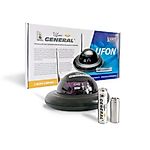
Radio range extender for remote control IR signal integrated in the battery - UFON 433 MHz
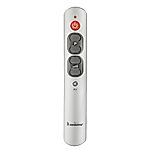
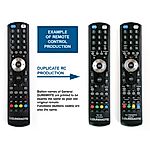
General DUREMOTE 2 tailor made remote control with button printing on demand
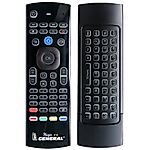
General MAGIC - remote control for SMART TV with keyboard and air-mouse function

Share your device's brand and model, and we'll handle the rest. Our experts will handle the request and your tailored recommendations will be on their way via email.

