



 Contact


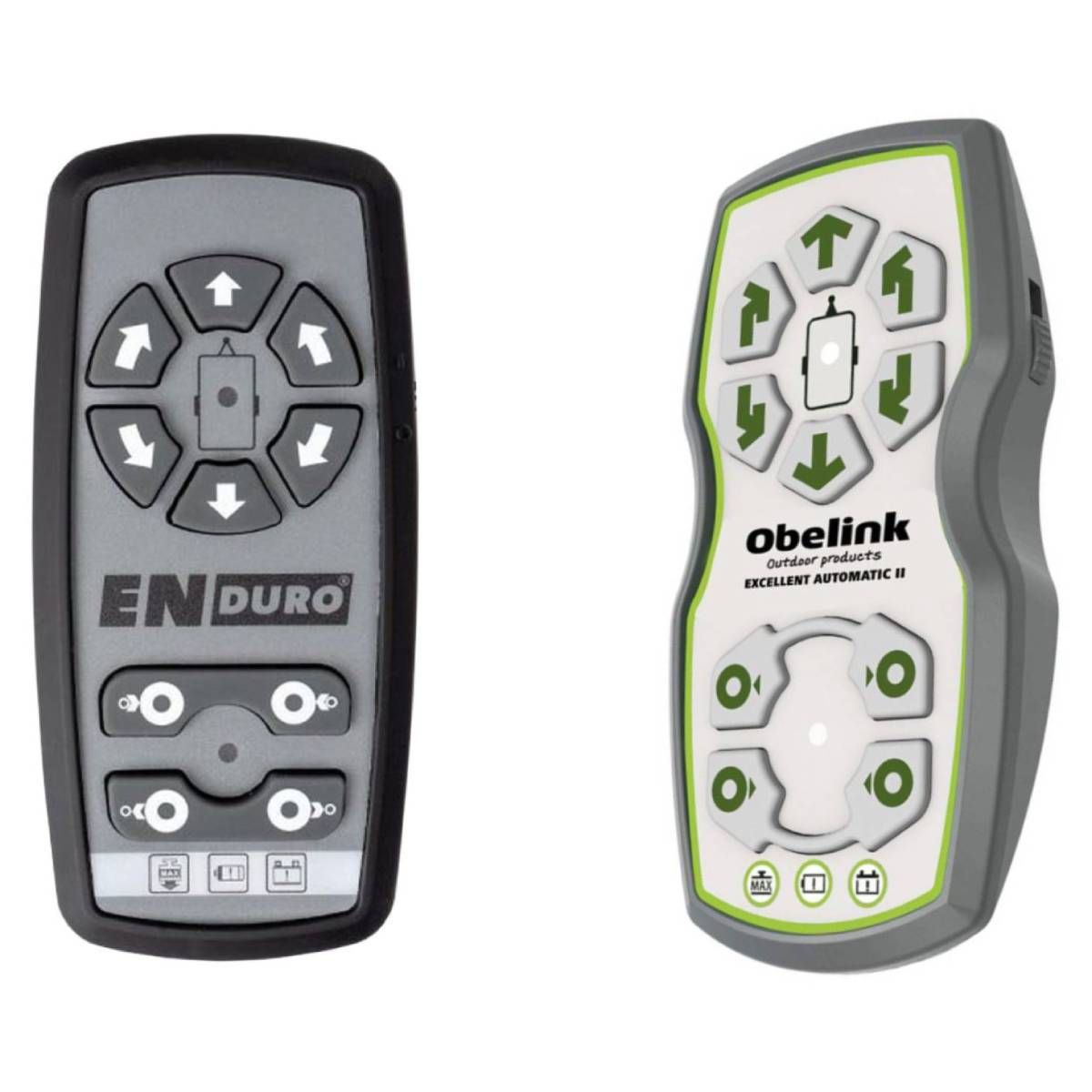
Brand Original remote control OBELINK Excellent Automatic II KBA 91419.
The supplied remote control is shown on the left .
👉The remote control is an original remote control OBELINK✔Pairing the Remote Control with the OBELINK Excellent Automatic II KBA 91419 control box:
- Turn on the control box and the remote control.
- Press the RESET button on the control box; all 3 LED lights on the control box will start flashing slowly.
- Simultaneously press the FORWARD and REVERSE buttons on the remote control and hold them for about 3 seconds (see picture below). You should then hear a short beep confirming successful synchronization. After successful synchronization, the green LED light on the remote control and the green LED light on the control box will continuously illuminate.
NOTE: If no signal is received from the control box, you will hear regular beeping from the remote control buzzer.
This is a new ORIGINAL remote control, therefore it needs to be paired with the control unit. The pairing method is described in the device manual, or we can send you the manual upon request via email.









Brand Original remote control OBELINK Excellent Automatic II KBA 91419.
The supplied remote control is shown on the left .
👉The remote control is an original remote control OBELINK✔Pairing the Remote Control with the OBELINK Excellent Automatic II KBA 91419 control box:
- Turn on the control box and the remote control.
- Press the RESET button on the control box; all 3 LED lights on the control box will start flashing slowly.
- Simultaneously press the FORWARD and REVERSE buttons on the remote control and hold them for about 3 seconds (see picture below). You should then hear a short beep confirming successful synchronization. After successful synchronization, the green LED light on the remote control and the green LED light on the control box will continuously illuminate.
NOTE: If no signal is received from the control box, you will hear regular beeping from the remote control buzzer.
This is a new ORIGINAL remote control, therefore it needs to be paired with the control unit. The pairing method is described in the device manual, or we can send you the manual upon request via email.






Featured Products
Radio range extender for remote control IR signal integrated in the battery - UFON 433 MHz
General DUREMOTE 2 tailor made remote control with button printing on demand
General MAGIC - remote control for SMART TV with keyboard and air-mouse function

Share your device's brand and model, and we'll handle the rest. Our experts will handle the request and your tailored recommendations will be on their way via email.

